How to access BYQ Templates
Templates inside BYQ Supply can be unlocked in two ways.
1. Access templates with a BYQ plan (Pro or Ultra)
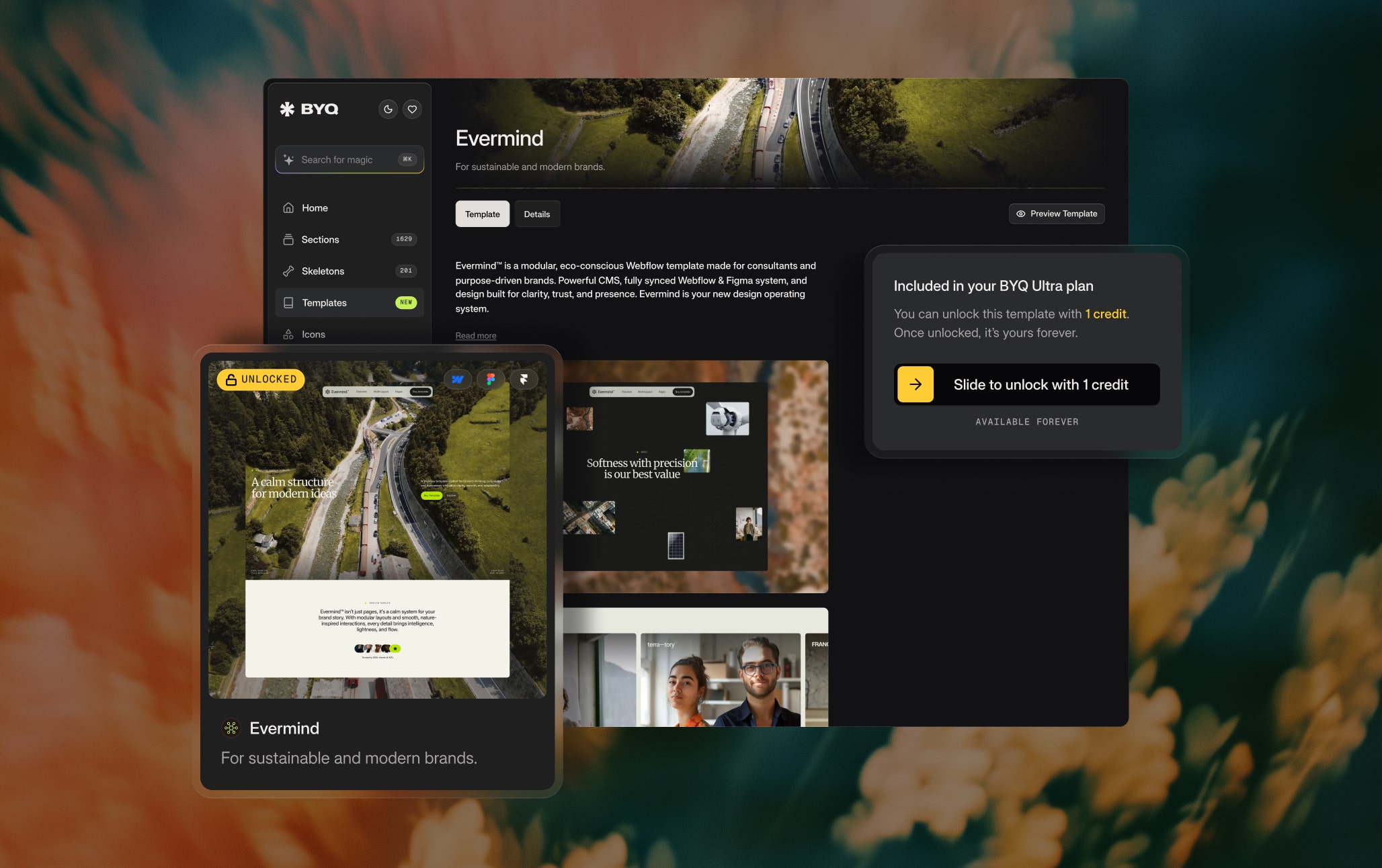
Both paid plans include template credits that unlock full templates — the difference is how many you get:
- Pro – 1 template credit per quarter (4 per year on annual). Pro Lifetime keeps earning 1 credit every quarter, forever.
- Ultra – 3 template credits per quarter (12 per year on annual).
- Ultra Lifetime – no credits needed; you instantly unlock all current and future templates forever.
How Template Credits Work
Each credit unlocks one template of your choice.
A single credit gives you access to the template across all available technologies:
- Webflow
- Framer (if the template exists on Framer)
- Figma
- HTML export
You unlock it once - and it’s yours forever.
Credits roll over automatically
If you don’t use all your credits in a given period, the remaining ones roll over to the next one.
Example (Ultra):
- You receive 3 credits this quarter, use only 1 → 2 roll over.
- Next quarter you receive 3 new credits → now you have 5 credits available.
This makes BYQ plans powerful for freelancers, agencies, and anyone handling multiple client projects per year.
2. Buy template as one-time purchase
Buy a template once and gain permanent access to it.
Where you purchase depends on the platform:
- Webflow templates are purchased through the Webflow Marketplace. After checkout, the template appears immediately in your Webflow dashboard.
- Framer templates are purchased through Lemon Squeezy. After checkout, you receive a Remix Link, allowing you to duplicate the project into your Framer account.
All payments are processed through trusted, secure systems (Webflow Marketplace / Lemon Squeezy).
With every one-time purchase you also receive the corresponding Figma file. After the purchase you can request your Figma file here.
If for any reason it doesn’t arrive automatically, you can always request it from us after purchase on hi@byq.studio.
You can also choose to purchase standalone files:
- Figma-only
- HTML export-only
These options are available for users who don’t need a Webflow/Framer version.
You will find all the purchase links inside BYQ Supply.
