Overview of the Style Guide Clonable
Where to find BYQ Skeletons Style Guide
BYQ Skeletons Style Guide is available as a free clonable on the "Made in Webflow" page.
👉 Here’s the preview of the style guide.
👉 Get your clonable on Webflow to start building.
Built on Client-First + Variables
The clonable is built on the Client-First framework by Finsweet. That means you’re working with clean class naming, consistent page structure, and best practices that scale. But we didn’t stop there — this clonable also comes with the full Webflow variable structure (layout, typography, color, radius, and icon), ready to connect directly with Skeletons.
The Role of the Style Guide
Inside the clonable, you’ll find the style guide page. Think of it as a visual representation of your variables, not a place to make manual changes. For example, if you see a class like [class]button[/class], that class is linked to multiple variables, like: [var]radius: button[/var], [var]color: light 100%[/var], [var]font-size: button 1[/var] etc... . To change the look of element with that class, you don’t edit the class — you update the variable (or many variables), and the class updates everywhere automatically.
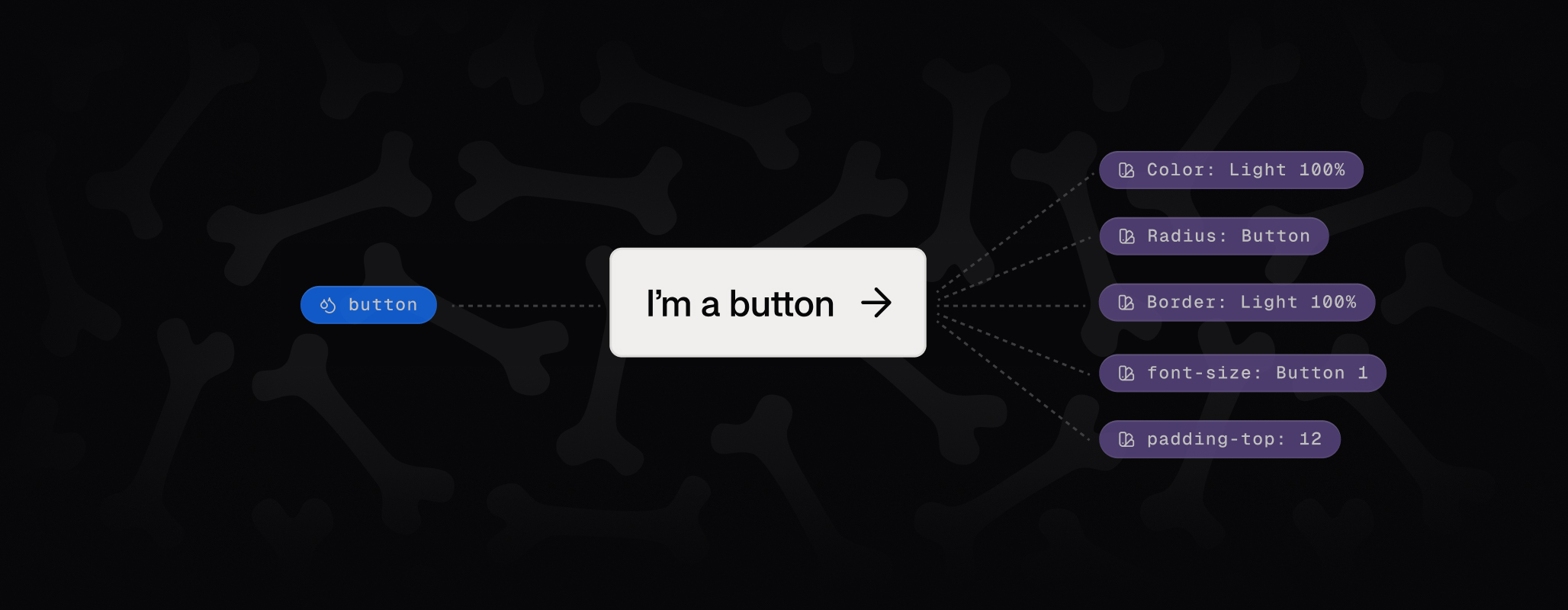
This rule applies across the board: typography, layout, colors, radius, icons. Always adjust through variables, never by disconnecting or overriding styles.
Project Structure
When you open the clonable, you’ll see two static pages:
- Home – the main page where you paste and build with Skeletons.
- Style Guide – a reference page that displays how all variables look. You usually don’t need to touch this.
On the Home page, the structure is simple but important:
- Page Wrapper – top-level container.
- Global Styles – component that ensures consistency.
- Main Wrapper – the main content area, tagged <main> for SEO. This is where you paste Skeleton sections.
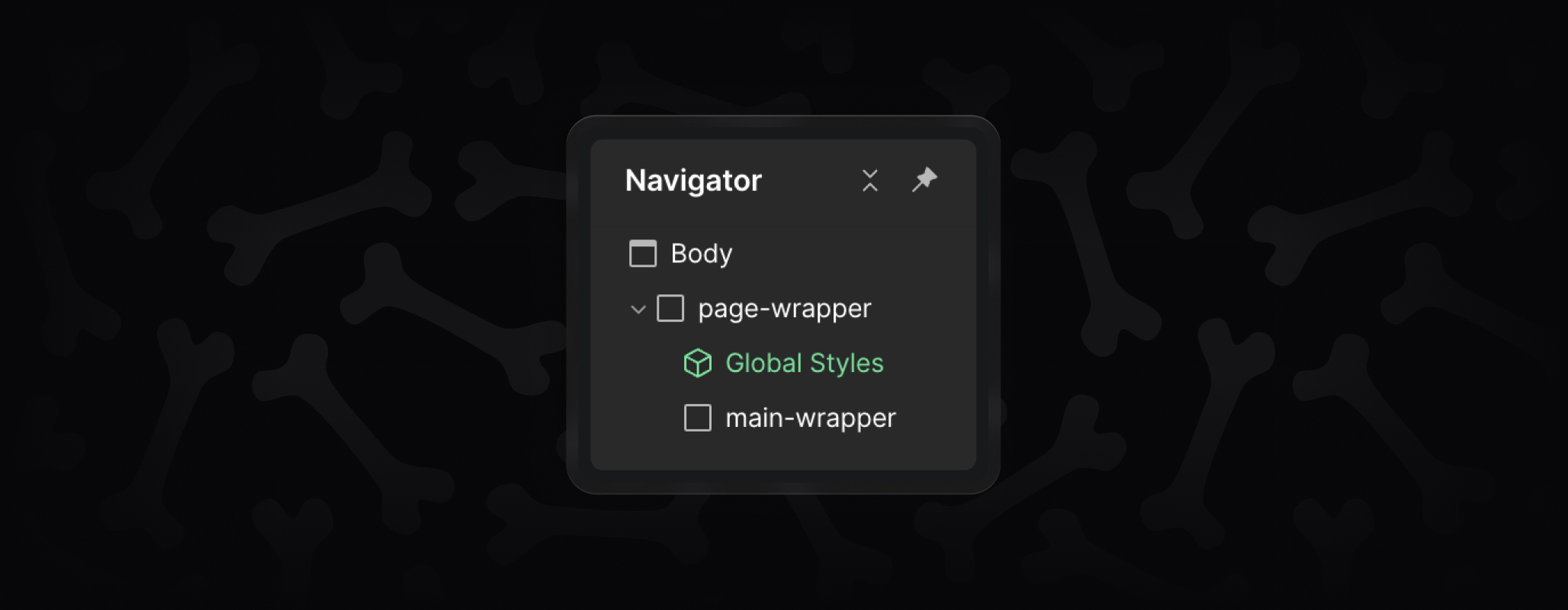
When creating new pages, just repeat this structure: add a [class]page-wrapper[/class], drop in the Global Styles component, then add a [class]main-wrapper[/class] where your sections go.
Why It Matters
The style guide clonable ensures that everything you build with Skeletons is consistent, scalable, and easy to update. With Client-First conventions and variables built in, it’s the foundation that keeps your project clean and makes global changes possible.
