Welcome to the Converter
The Converter exists because the last mile of building with AI is usually the hardest. AI tools are great at generating HTML, CSS, and JavaScript, but the output doesn’t drop into Webflow or Figma cleanly — Webflow expects its own element structuĻre, and Figma expects native layers. The Converter handles that translation, so what your AI generates becomes something you can actually keep building on.
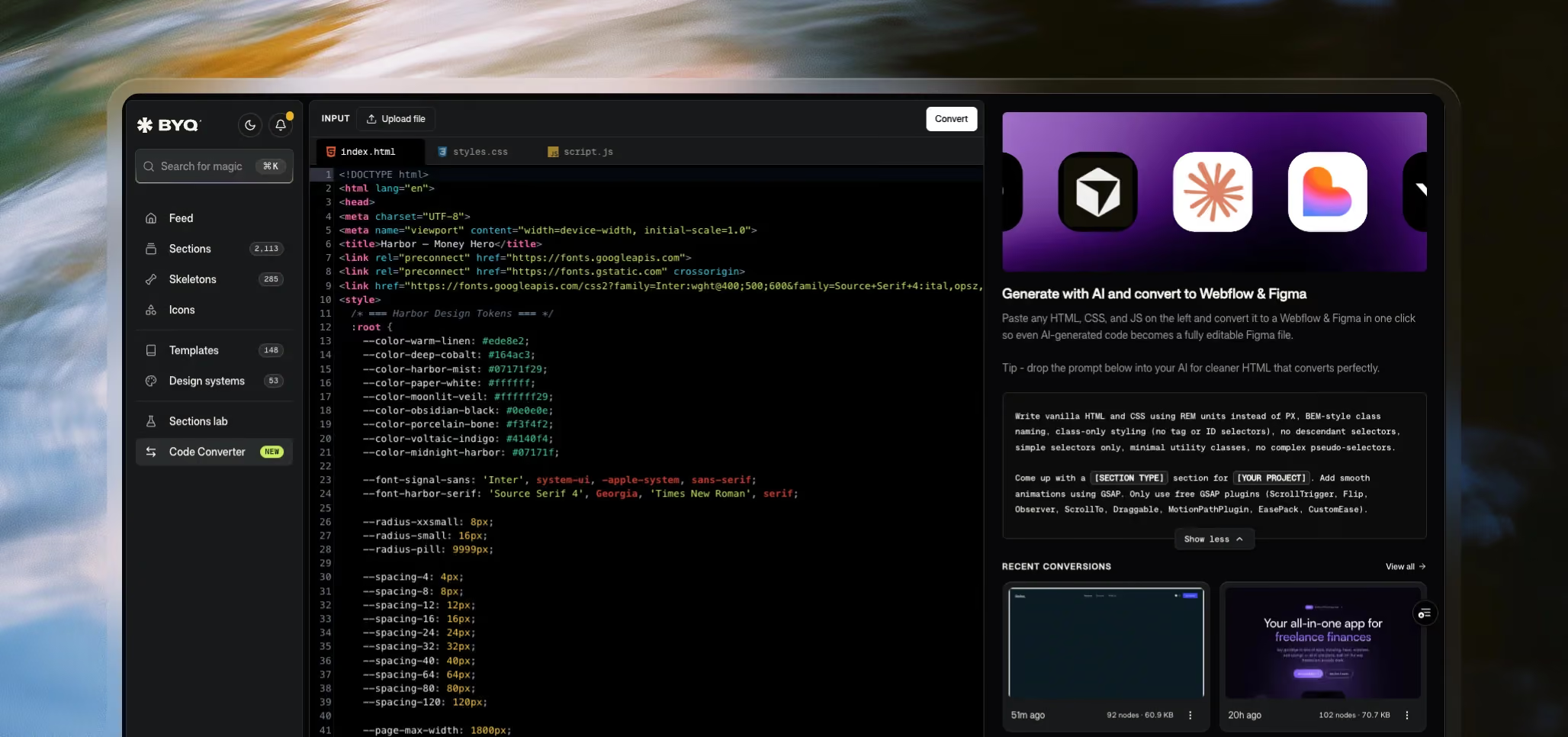
What the Converter does
Paste any HTML, CSS, and JavaScript into the Converter — or upload the files — and you get two outputs:
- A native Webflow section. Real Webflow elements, real classes, real structure. Paste it into a Webflow project and you can edit it like anything else you’d build by hand.
- A native Figma design. Real Figma layers, frames, fills, and text. Paste it into a Figma file and design around it like a normal piece of work.
No plugins on either side. You copy from the Converter, you paste into Webflow or Figma, and it lands as native.
Why this matters in the age of AI
AI tools generate code. Webflow and Figma don’t speak code — they speak elements and layers. Without something in between, the only way to use AI output inside them is to rebuild it manually, which defeats most of the point of using AI in the first place.
The Converter is that something in between. It’s the bridge that lets you stay in the design tools you already use while still benefiting from how fast AI can scaffold a section.
What it’s designed for
The Converter is built to handle single sections — a hero, a pricing block, a feature grid, a testimonial row. It’s not designed for full pages with many sections stitched together. The cleanest results come from generating one section at a time, converting it, and assembling pages from there.
It also works best when the code is clean: vanilla HTML and CSS, simple class names, no exotic frameworks. We’ve included an example prompt you can hand to your AI tool to get exactly the kind of code the Converter handles best.
Availability
The Converter is free to try with up to 5 conversions on the Free plan. After that, you’ll need a Pro or Ultra subscription to keep converting. Past conversions stay in your Recent Conversions list regardless of plan, so the free conversions you’ve already run remain accessible.
A note on beta
The Converter is in active development. It already handles a wide range of code, but you’ll occasionally hit a piece of structure it doesn’t fully understand. We’re improving it continuously — and if you run into something that converts poorly, your feedback genuinely helps shape what we fix next.
Where this fits in BYQ
The Converter is one half of an AI-to-Webflow workflow. The other half is Design Systems, which give an AI tool the visual language of a BYQ template so the code it generates already looks like a polished, production-ready design. Together they form a full loop: pull a Design System out of BYQ, generate with AI, run the output through the Converter, and land in Webflow.
We cover the full loop in a later chapter, and the broader picture in Build with AI.
