Time for a proper update.
One of the bigger things we've shipped recently is our own MCP.
If you've been following along, you'll know we've slowly been building out the AI side of BYQ Supply. Copy Prompt was the first step — it let you grab a single section and hand it to your AI tool. MCP is the next step up, and honestly it's the one we're most excited about.
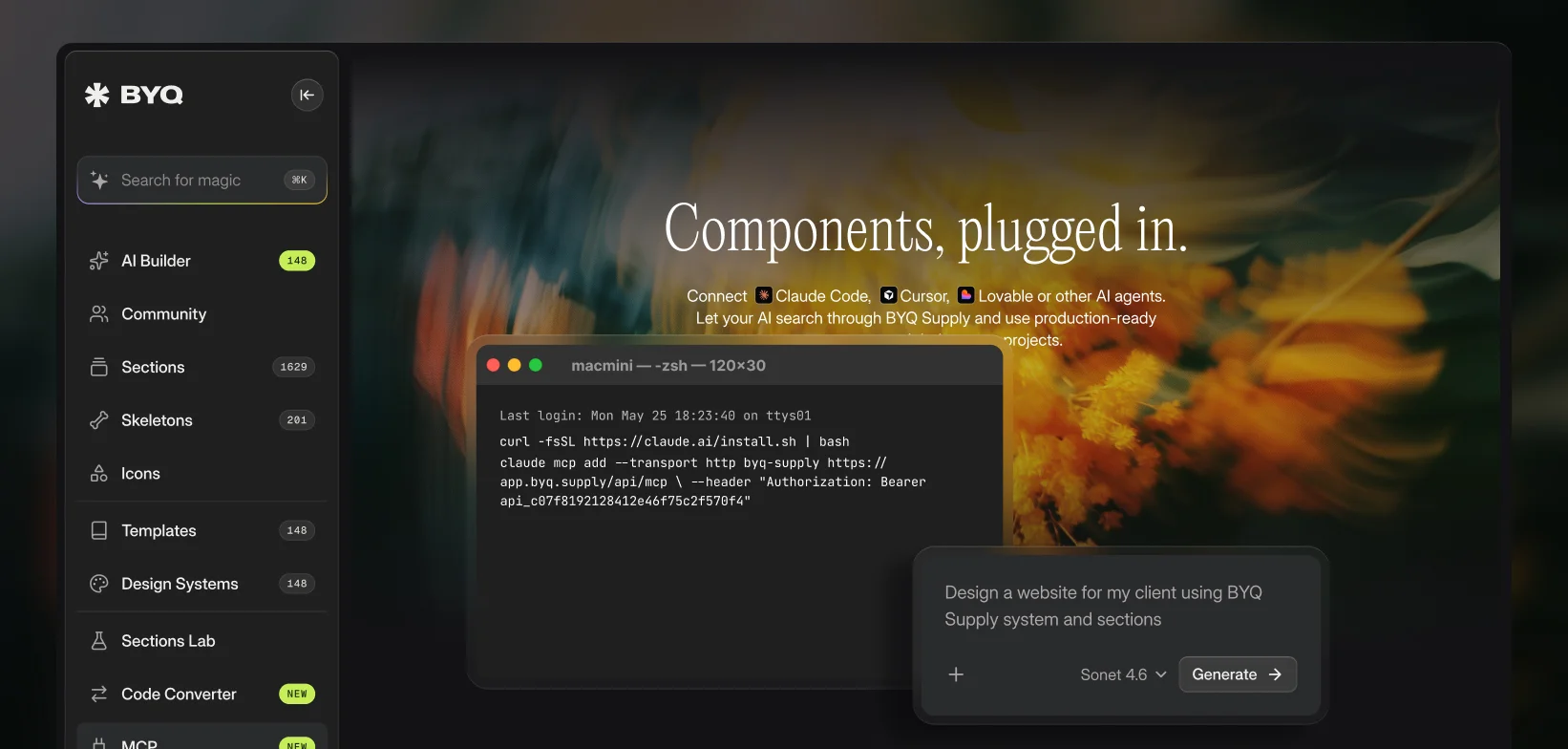
Instead of copying anything at all, you connect BYQ Supply once and your AI tool can reach the whole library on its own. You set it up in Claude Code, Cursor or Lovable (or any other AI agent that supports MCP), generate your personal MCP key, and that's the whole setup done. From there your AI can search through everything inside BYQ Supply and pull production-ready components straight into your projects — no extra tabs open on the side, no copying back and forth, no leaving your editor.
It basically turns BYQ Supply into something your AI can browse by itself while it's building with you. You ask for a pricing section or a hero, and it can go find the right one from our library and drop it straight in, already production-ready.
MCP is available on Pro and Ultra. If you want to try it, head to the MCP page in your dashboard, grab your key, and connect it to your tool of choice.
Another one we're super happy with: "Design Systems".
Here's the thing we kept running into with AI tools. They're genuinely good at generating sections now, but they're not great at making those sections look like your brand. You end up fighting the model to drag it back toward your colors, your type, your spacing. So we went after the input side of the problem.
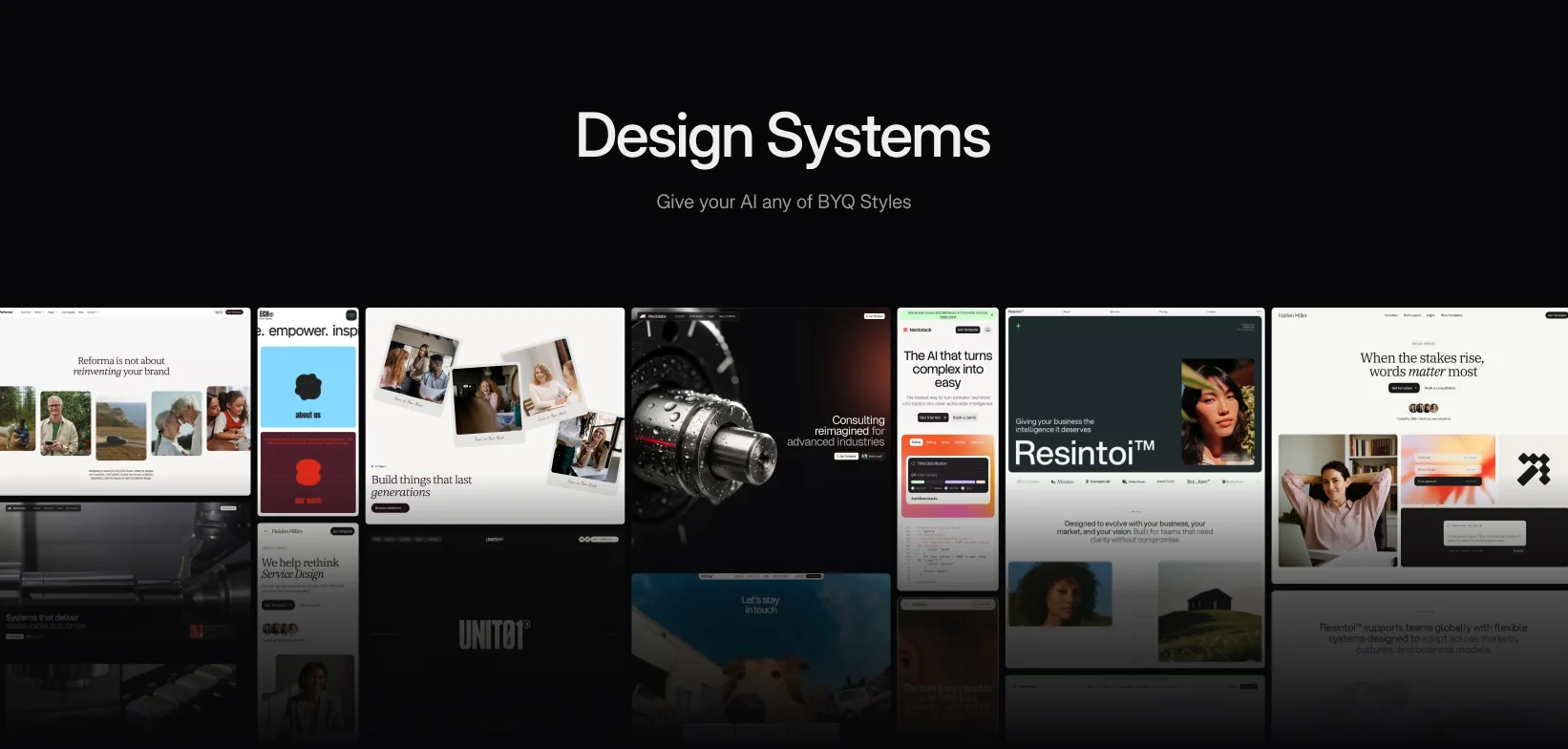
We took our best-selling templates and turned each one into a full design system — there are 63+ of them in there now. Every system is a clean set of files: DESIGN.md, tokens.json, theme.css and variables.css. That's basically the whole visual language of a brand — colors, typography, spacing, radius, motion — packaged in a way an AI can actually read and follow. Feed one to your AI tool, or add it straight to Claude as a skill, and everything it generates comes out on-brand from the start, without you nudging it back into place over and over.
And here's a part we think is really cool: you're not limited to the systems we've made. You can generate your own. Paste in any URL and BYQ will pull a full design system out of it — colors, fonts, the whole token set — ready to hand to your AI. It's a quick way to capture any style you like (your own brand, a client's, or a reference site you came across) and start building with it straight away.
Browsing and previewing every system is free, and generating your own from a URL is open to everyone too — it uses one AI token, and every account starts with a few of those. Downloading the files from the curated systems we've made is a Pro and Ultra feature.
The idea behind it is simple — describe the section you want, and BYQ generates it for you. A prompt goes in, a real section comes out.
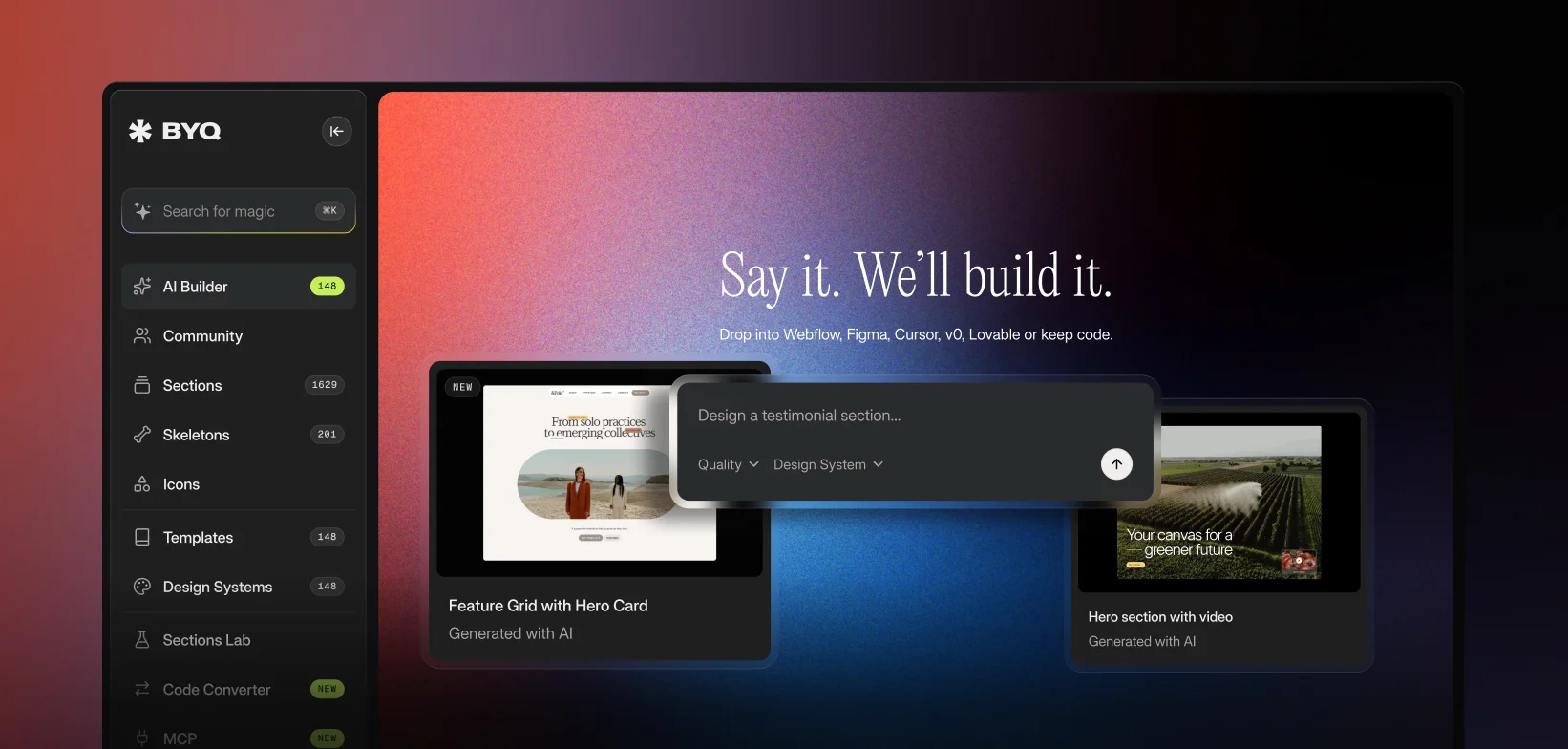
The reason we built our own instead of just pointing people at the generic AI tools comes down to quality. Most AI section generators produce something that, well, looks like AI made it — generic layouts, slightly off spacing, the kind of thing you'd never actually put on a real site. Ours is built on top of the same design conventions that run through the entire BYQ library, so the output comes out clean, well-structured and genuinely usable. A lot closer to something one of our designers would have made than something a model guessed at.
It also fits into everything else we've been building. Generate a section with AI Builder and you can bring it into Webflow or Figma with the Code Converter, or pair it with a design system so it comes out on-brand from the first go.
Every new account starts with a handful of free tokens, so you can generate a few sections and judge the output quality for yourself before deciding anything. Worth a play.
HTML/CSS/JS -> Webflow & Figma
Next, a tool we'd been wanting to build for a long time: the Code Converter.
If you've been generating sections with AI, you've probably hit the same wall we did. The AI gives you some really nice HTML and CSS, but then it's just sitting there in a chat window. Getting it into an actual project — into Webflow or Figma, where you can keep working on it — is genuinely annoying. You either rebuild it by hand or wrestle with a messy export that takes longer to clean up than it would have taken to make from scratch.
The Code Converter takes that part away. You paste in AI-generated HTML/CSS — from Claude, ChatGPT, Lovable, v0, Bolt, wherever you made it — and it converts the section into native, fully editable elements inside Webflow and Figma. Not a flat screenshot, not a tangled export. Real, proper elements you can restyle, restructure and keep building on like anything else in your project.
For us this was the missing piece. With Design Systems feeding your style in, AI generating sections from that, and Copy Prompt and MCP connecting BYQ to your tools, the Code Converter is what brings everything back home into the platforms you actually ship from. It quietly completes the whole loop.
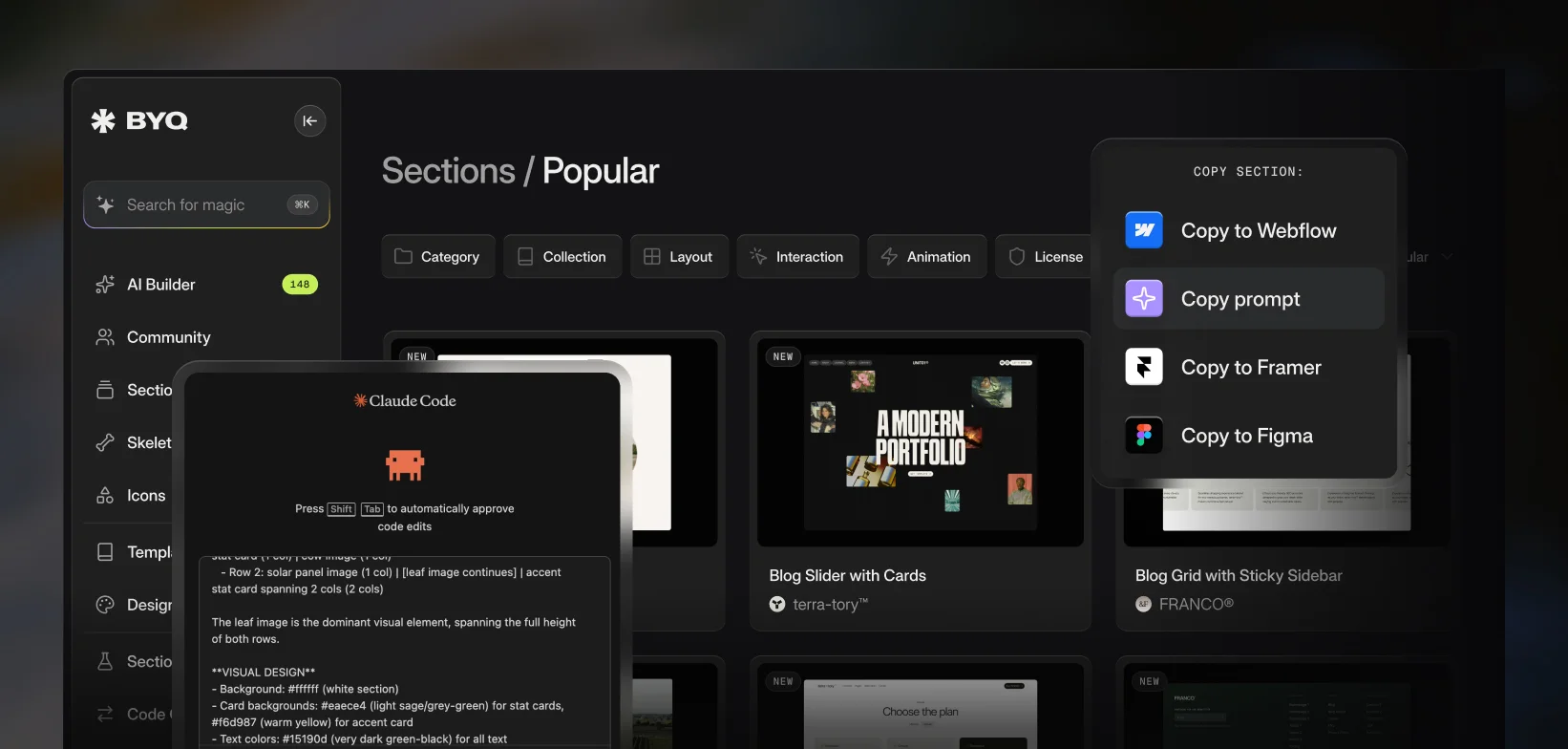
One of the first AI features we shipped: Copy Prompt.
The short version is that every single section in BYQ Supply can now be copied as a prompt. One click and you get a full, ready-to-paste prompt for whatever AI tool you build in — Claude Code, Cursor, Windsurf, v0, Bolt, Lovable or Replit.
But the part we want to explain properly is how it actually works, because it's a bit smarter than just copying a description across.
The prompt we generate isn't a vague "make me a hero section." It contains the full set of instructions for that specific section — the structure, the layout, the intent behind it — along with code to guide the build. So when you paste it into your environment, your AI has everything it needs to recreate that exact section, not a rough approximation of it.
And here's the bit we really like: it rebuilds the section inside your own setup. If you've got your project configured in Claude Code or Cursor with your own styles, your own components and your own way of writing code, the AI recreates our section following your conventions instead of ours. So the result looks like the BYQ section you picked, but it's built natively in your project, in your style, the way you would have written it yourself.
That's the real difference from a normal copy-paste. You're not dropping in a fixed block of our code that you then have to reshape — you're handing your AI a really clear blueprint and letting it rebuild it in your world. Same design, your environment, your conventions.
Copy Prompt is on Pro and Ultra (Free members get it on selected sections). If you mostly build inside AI editors these days, this is probably the feature you'll get the most out of.
It’s been a while since our last update here. Honestly, the simple reason is that things have been moving so fast behind the scenes that keeping this page up to date kept slipping down the list. We’ve been busy building, shipping, improving systems, and expanding BYQ Supply from multiple directions at once. So this update is a proper catch-up - and there’s a lot to share.
New collections of sections and new templates
Over the past months, we’ve expanded BYQ Supply with both new collections of sections and new templates.
On the sections side, we started bringing some of our existing templates into the library as full collections of sections. That means creators can now take design directions that were previously available only as full templates and use them in a much more flexible way inside their own projects.
We added Halden Miller, Human+Machine, OFF THE GRID, ALL ABT, Lavender Shore, Bobolobo, Sound Stories and Echo Studio as section collections. Each one brings its own tone and design language into the system - from elegant consulting layouts to bolder creative directions, softer hospitality-inspired styles, and playful concepts for early education brands. This is a big shift because it opens up more of our design library for mixing, matching, and building faster.
On the template side, we also released several new additions: Resintoi, Nextwell, Algarve Studio, Sprkles, Baseframe, and Reforma. Right now these are available as full templates on the Ultra plan, and over time some of them will also make their way into BYQ Supply as section collections.
So overall, the library has been growing on both fronts - more complete templates, and more modular collections of sections ready to copy, combine, and adapt.
Skeletons are still growing
Skeletons have been a little more in the background recently, but they are absolutely still part of the bigger vision and they’re coming back stronger.
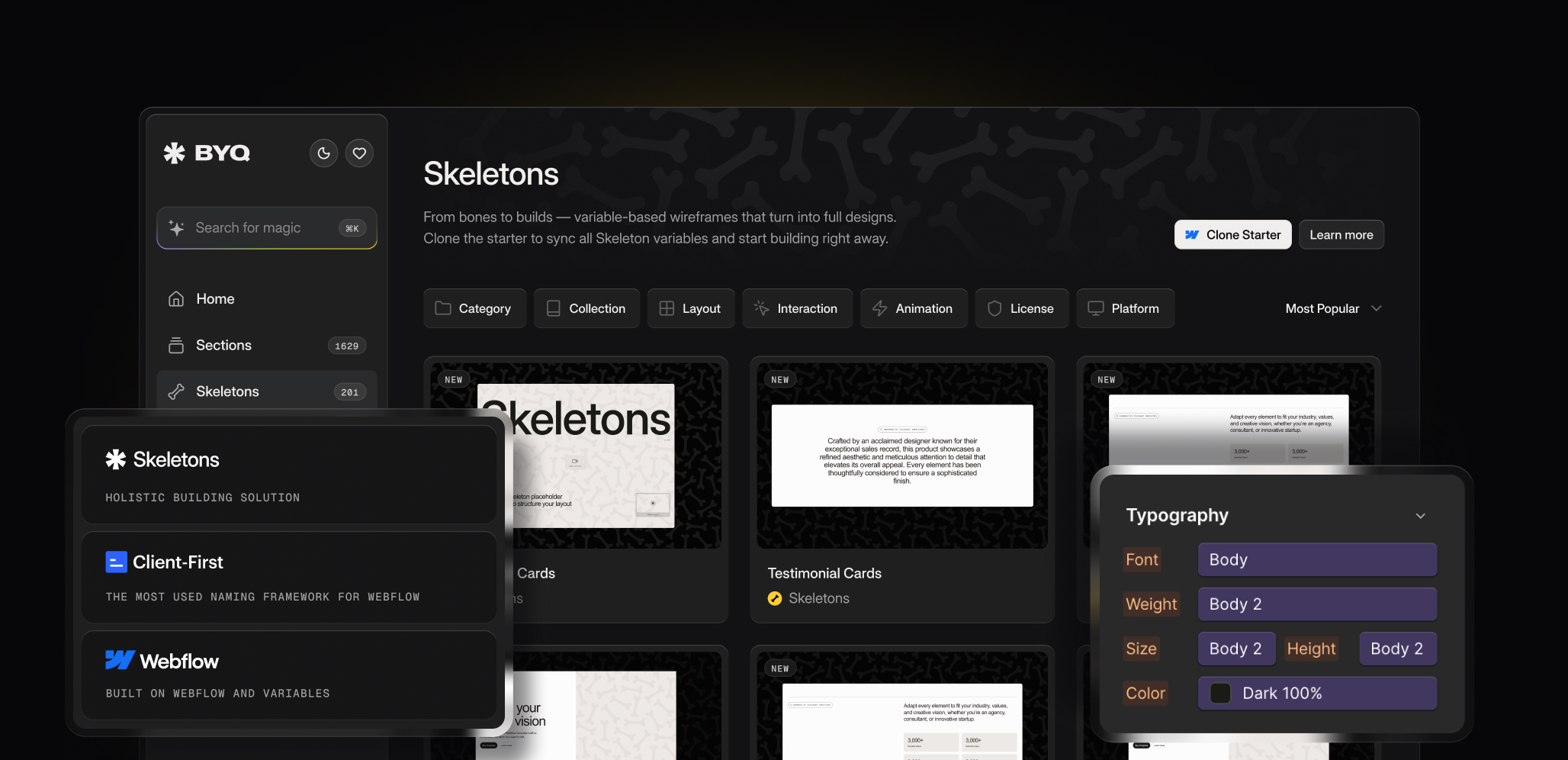
We added roughly 40 new Skeletons during this period, and more are already in development. At the same time, we’re also working on improvements that will make building with Skeletons much simpler and more intuitive inside BYQ Supply itself.
The goal is not just to keep expanding the library, but to make the whole experience of working with Skeletons smoother, faster, and more connected. So while they’ve been a bit quieter lately, there are some really exciting updates coming here.
Launching Sections Lab
One of the biggest launches during this period was Sections Lab.
Until now, browsing sections has mostly meant scrolling through the library and imagining how everything might fit together. Sections Lab changes that. It gives creators a better way to explore how sections work together as full compositions, helping them move from isolated pieces to stronger page structures.
That shift matters a lot. It makes the library more practical, more visual, and much more useful for real website building. Instead of only collecting sections, users can start thinking more clearly about layout, flow, and how to combine different pieces into something cohesive.
Sections Lab is an important step toward the bigger BYQ Supply vision - making the platform not just a place to grab assets, but a more complete ecosystem for building modern websites faster.
A behind-the-scenes infrastructure upgrade
Around February, we also made an important upgrade behind the scenes by moving from Stripe to Lemon Squeezy as our payment provider.
It may not be the flashiest update, but it has a lot of value for both our users and for the future growth of BYQ Supply. The move gives us better tax compliance, better invoice handling, and a smoother overall structure as we continue expanding internationally.
For users, that means clearer access to invoices and a better billing experience. For us, it means stronger foundations and less friction as the platform scales.
Sometimes the most valuable updates are the ones happening under the hood.
The community keeps growing
Another thing we’ve been really excited about is the steady growth of the BYQ Supply community.
We’ve seen a wave of new users joining - both free and paid - and it’s been amazing to watch more and more creators discover the platform and start building with it. That kind of momentum always means a lot, because it shows the system is resonating with people in real projects, not just in theory.
And outside the platform itself, our Instagram is also slowly approaching 5,000 followers, which feels like a really nice milestone. Bit by bit, the BYQ world keeps growing, and it’s exciting to see more people following the journey, using the products, and becoming part of what we’re building.
What’s coming next
And no, we’re not slowing down.
More section collections are coming. More templates are coming. More Skeleton improvements are coming too. But beyond that, one of the things we’re most excited about is the next layer of tools we’re planning to release around BYQ Supply.
We can’t say too much about them just yet, but the goal is simple: make the whole BYQ Supply ecosystem even better, more useful, and more connected. We want to keep reducing friction, improve how people build with our system, and bring more value beyond just the library itself.
There’s a lot in motion right now, and the next chapter is already taking shape.
More drops, more systems, more tools, more growth.
This month felt like a real shift in momentum. We launched three new collections – Hummingbird, Butterfly Studio, and &Fold – each one bringing its own identity, tone, and motion language. Hummingbird leans refined and minimal, Butterfly Studio lands with bright energy and stronger storytelling, and &Fold introduces a softer, soulful direction for thoughtful brands. Together they show how quickly the BYQ Supply ecosystem is expanding in style and depth.
Skeletons keep on growing too!
On the Skeletons side, things have been moving at full speed. We added roughly 40 new Skeletons over the past month, and there are another 40 already in the pipeline. The system is getting denser and more flexible with every drop, and it’s becoming clear how powerful the full library is when creators start mixing and matching structures across projects
...and so is our community
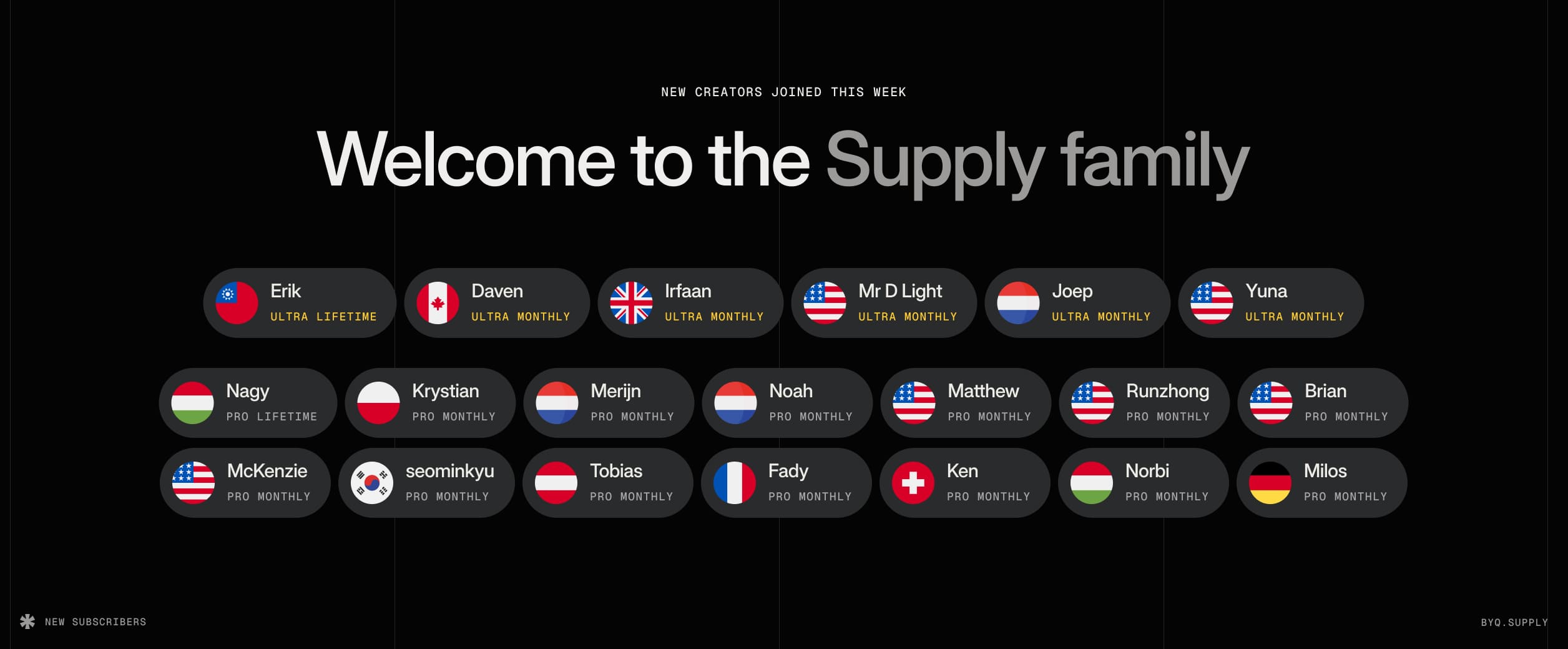
What we’re most excited about, though, is the community growth behind all of this. Over the past week alone, a wave of new creators joined the Supply family – across Pro, Ultra, and especially the Ultra Lifetime tier. Seeing creators from so many countries jump in at the same time was honestly pretty wild. It’s a good sign that the ecosystem is hitting the right notes.
And to top it off, two of our templates hit the global charts last month. Evermind and Modulabs reached the number 2 and number 3 spots on the Webflow Marketplace worldwide. That’s a big win for the studio, and even better validation that our design direction is resonating.
More collections, more Skeletons, more growth. The next few weeks are already stacked, and the system only gets sharper from here.
.webp)
TL;DR: New subscription plan "Ultra" brings full templates, credits that stack, and serious value. We added smarter filters and fresh content drops (80+ new Sections and 30+ new Skeletons) - BYQ is only getting sharper.
Ultra Subscription Plan – Templates, Unlocked
We’ve launched our most powerful plan yet. Ultra gives you 3 full template credits every month – and yes, credits stack, so you can save them up for later.
With over 140+ premium templates from BYQ and Wavesdesign (usually ~$110 each), you’re unlocking access to $330 worth of templates every month. And on the annual plan ($149/mo), you’re getting that for less than half the price.
Templates go far beyond sections. You’re getting CMS structures, eCommerce setups, responsive layouts, animations, and Figma and Framer files—ready to deploy in minutes.
Improved
- Template Pages – All templates now have their own detail page with a better overview, bigger visuals, and direct access.
- Filtering for Sections & Skeletons – Filters are now ordered by popularity, helping you explore the most used categories first.
Expanded
- New Collections
- The Smiling Agency™ – 40+ playful, modular sections designed for bold creative teams
- Superior Space® – 40+ calm, structured sections built for creative clarity
- Rise N’ Shine (Framer) – Cozy coffee-shop vibes now available as modular Framer sections
- Library Growth
- +80 new sections (now 1.2K+ in total)
- +30 new skeletons (with more to come)
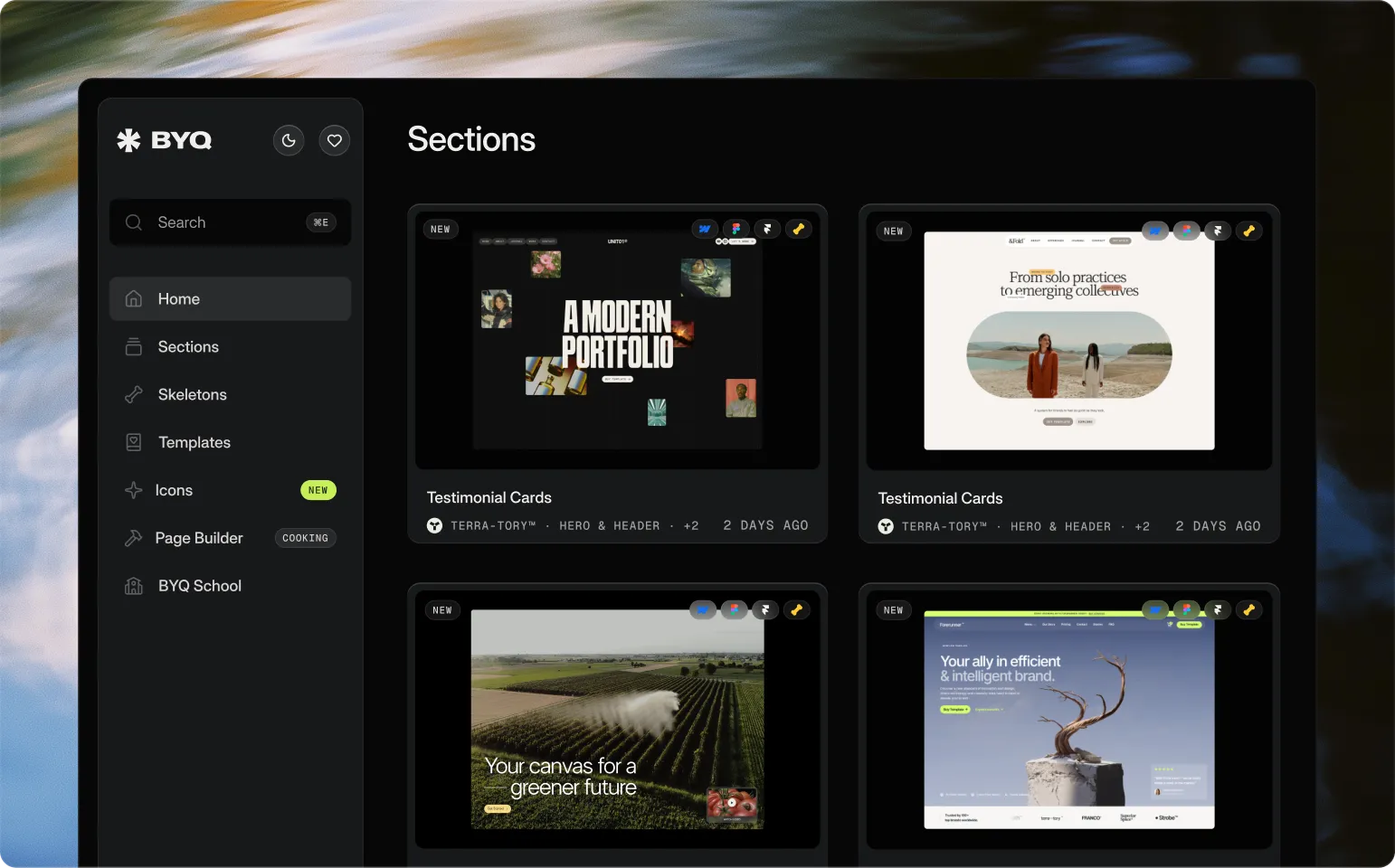
We’ve launched a brand new BYQ Supply landing — sharper, cleaner, and now with a Dark Mode / Light Mode switch. Both the landing and the dashboard adapt, so you can browse the way you want. Many of you asked for Dark Mode, but truth be told… we mostly did it because it just looks damn good.
Beyond the looks, we’ve also reworked a lot under the hood. Navigation between sections is faster, the sidebar has been redesigned, and the whole system feels snappier thanks to backend improvements. On top of that, we polished dozens of small details to make exploring BYQ smoother. And yes — we’ve also carved out space for something new that we’ll be announcing very soon. (psst… more on that later).
Added
- Dark Mode / Light Mode switch across landing + dashboard
- New landing design with simplified communication
Improved
- Navigation flow across sections
- Performance and backend speed
- Sidebar redesigned for clarity
- Overall browsing experience across the library
Fixed
- Small layout inconsistencies in section previews
- Occasional hiccups when switching categories
- Minor UI glitches across dashboard panels